
Prop Firm CRM & Trader Dashboard Software
Updated
A prop firm CRM is the staff workspace for trader and account operations: onboarding, purchases, account stages, reward reviews, support and affiliate records. The trader dashboard is the customer's view of their own accounts, objectives and available actions. Evaluate both by following the same account from an operator's screen to the trader's screen.
Use this page to scope a PropFirmsTech CRM and dashboard demo around your daily workflows. The wider prop firm software overview covers trading-platform connections, rule calculations, provider dependencies and implementation. Confirm the exact package and responsibilities in your proposal rather than treating those layers as interchangeable.
See the dashboard, then follow one account
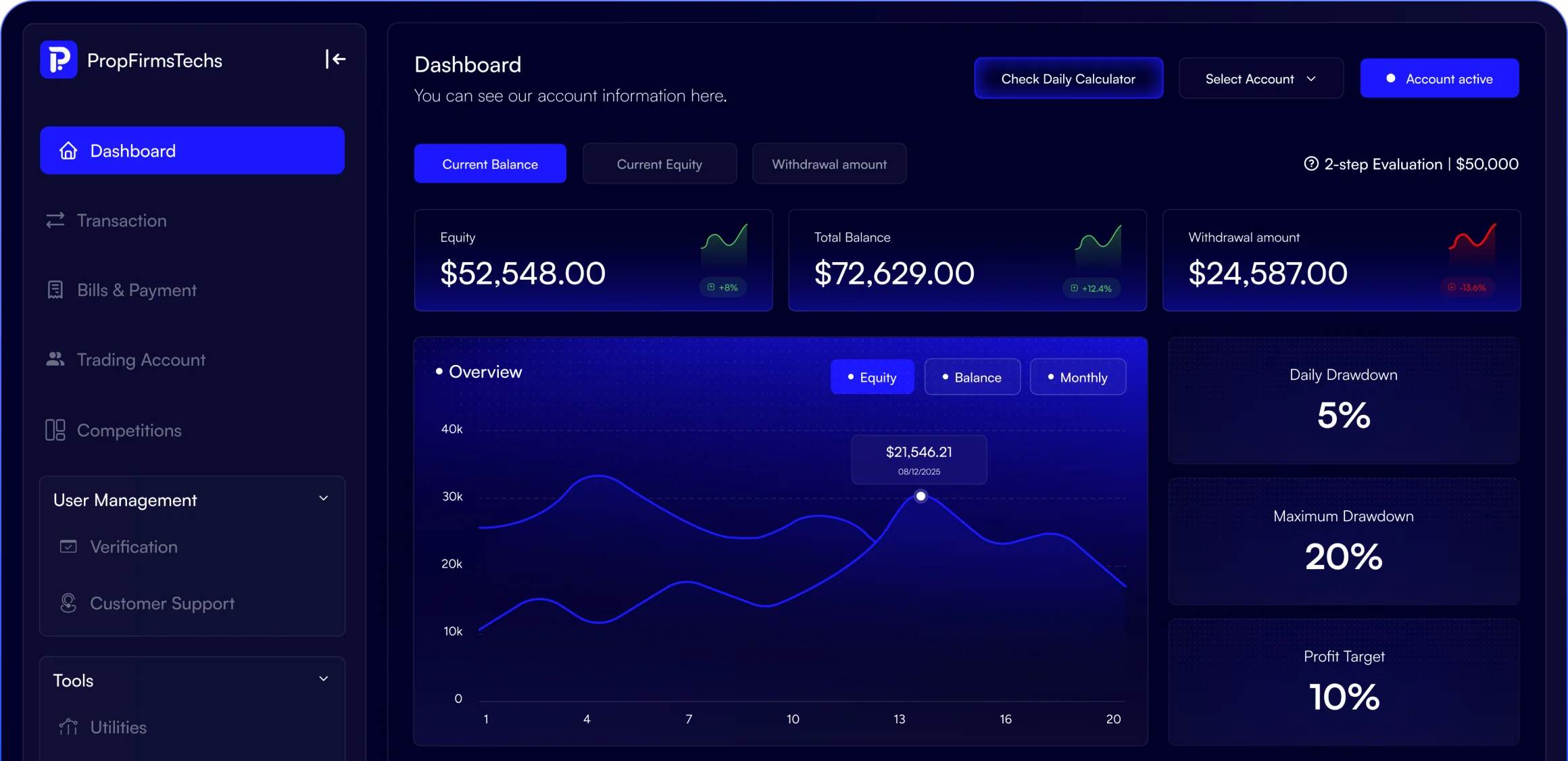
The dashboard preview below shows account selection, balance and equity views, and programme objectives. In a live demo, connect that trader view to the staff record behind it: the same account identifier, programme version, status and permitted next action. That comparison is more useful than a screen viewed in isolation.
Follow the account through its lifecycle
Onboarding and identity review
Connect a trader's registration and identity-check status to the accounts they can access. Review the verification provider, required documents, retry process and manual-review responsibility. Automated screening supports that process; it does not replace the firm's own decisions or obligations.
Orders, account stages and risk status
Staff need to distinguish a paid order, a provisioned account, an active evaluation, a phase transition and a breach. Ask to see how the CRM reflects each event and how a trader is informed. Compare the account information with the connected risk monitoring system, including any delay or exception that needs operator review.
Reward requests and payments
Treat eligibility, submission, review, approval and payment as separate states. Agree who can approve a request, what supporting records they see and how an adjustment or failed transfer is handled. Automation can reduce manual steps, while payment availability and settlement remain subject to the selected provider. Read the payment integration overview for the broader provider questions. The payout reconciliation checklist helps define the records finance needs after approval and provider handover.
Support and affiliate records
An account issue needs enough context for staff to identify the affected trader, order, programme and request. Affiliate operations also need clear attribution, commission and adjustment rules. In a demo, follow a support case and a referred purchase rather than relying only on a revenue chart.
Keep the staff and trader views distinct
Traders need their objectives, current metrics, account status and available next steps. Staff need the controls and records required to operate those accounts. Confirm role permissions and how sensitive information is limited before adding team members.
Discuss the dashboard surfaces covered by your white-label configuration, including the logo, colours and domain. Review the wording of pending, failed and approved states as well as the branded screens. A request should not look paid before a transfer is complete, and a phase should not look active before account provisioning succeeds.
Assign the operational decisions and implementation scope
Use this responsibility matrix to prepare the demo and written scope. Your firm defines the programme and operating decisions; agree with PFT and each relevant provider who configures, operates and supports the resulting workflow. These are scoping questions, not universal package inclusions.
| Workstream | Your firm's decisions | Confirm in your proposal |
|---|---|---|
| Programmes and staff access | Define programme versions, staff roles and actions requiring approval. | Confirm configurable controls, data access and how role restrictions are demonstrated. |
| Onboarding and identity review | Define the review policy, customer communication and manual-review owner. | Identify the provider, available status mapping and responsibility for rejected or delayed checks. |
| Orders and account changes | Define when an account may activate, transition, reset or close. | Agree order/platform references, permitted account actions and recovery after a failed handover. |
| Reward and affiliate operations | Define eligibility, approval authority, attribution and adjustment rules. | Confirm available records, provider handover, failed-payment handling and adjustment evidence. |
| Migration, exports and support | Specify records to retain, cutover approval and the staff escalation owner. | Agree import/export fields, historical coverage, exception ownership and support responsibilities. |
Leave the CRM demo with records you can review
Bring a sample programme and synthetic trader records. Agree the expected result before the call, then record what was demonstrated, what needs configuration and what remains open. Use these four cases to turn the discussion into a reviewable implementation scope:
- Purchase to trader access. Follow one order through payment status, account provisioning and the trader dashboard. Request a record linking the order reference, provider reference and account identifier, including what staff see if provisioning is delayed.
- Programme change and permissions. Follow a phase transition or breach under a named programme version. Request the expected calculation, the resulting account state and an allowed/denied check for the staff roles that may change it.
- Reward review and payment outcome. Trace a request from review to provider handover. Request the decision history, approval owner and provider reference; show how an unknown or failed outcome remains distinguishable from a completed payment.
- Refund, affiliate adjustment and support. Follow a referred order through a refund or adjustment. Request the original attribution, adjustment record and support lookup, with the export fields and unresolved exception owner identified.
Download the editable CRM evaluation scorecard (CSV) and read the scorecard instructions before assigning scores. The template contains labelled synthetic examples, not a test of PFT or another supplier. Replace them with your requirements and observed evidence; an unresolved mandatory gate still needs a decision even if the weighted score is high.
Use the API integration checklist to assign ownership across connected systems and the payout reconciliation checklist to specify finance records. Some steps may need manual approval or additional integration work; confirm the demonstrated configuration in the written proposal.
Moving from spreadsheets or another CRM
Define which records need to move: trader identifiers, account stages, order references, pending rewards, affiliate attribution and support history. Agree what can be imported, what remains in the previous system and who can access archived records. Avoid treating a successful file upload as proof that every account reconciles.
Test a sample across the old and new systems, then agree the cutover, reconciliation and recovery steps. The platform migration guide covers planning questions for this process. Request a scoped migration assessment before committing to a date. If the move also changes your trading terminal, review the trading-platform comparison alongside the CRM requirements.
Package and implementation scope
Request a current written proposal for the CRM and dashboard workflows you have reviewed. Identify setup and recurring charges, any usage fees, required third-party services, integration work, migration and support scope. Ask which items are part of the proposed package and which need a separate agreement. A screen shown in a demo does not settle the commercial scope.
Agree acceptance checks, provider dependencies, the records to reconcile and the operator handover before setting a delivery date. An existing firm's migration also needs a cutover and recovery plan. See the wider launch guide for business preparation outside the CRM.
Frequently asked questions
What is a prop firm CRM?
A prop firm CRM is the operator back office for trader relationships and account workflows: onboarding, identity checks, challenge status, orders, reward requests, support and affiliate records. It connects to a trader-facing dashboard where customers see their account information and available actions.
How are the CRM, trader dashboard and wider software different?
The CRM is the staff workspace for trader and account operations. The dashboard is the trader's view of their own accounts, objectives and requests. The wider software scope also covers trading-platform connections, rule calculations, payment and identity providers, hosting and implementation responsibilities. Confirm the surfaces and permissions in your proposal.
Is the CRM and trader dashboard white-label?
Discuss the logo, colours and domain you want on the CRM and trader dashboard. Confirm the exact branding scope in your proposal, including customer emails, documents, login pages and any provider-hosted payment or identity-check steps. A branded dashboard does not establish how every external surface will appear.
Does the CRM connect identity checks, payouts and affiliates?
Bring those workflows to the demo and ask which records, provider connections and approval actions your configuration supports. Agree the identity-review owner, reward decision process and affiliate adjustment rules. Keep a reward request, approval, provider instruction and payment outcome as separate records.
What should a prop firm CRM quote specify?
Request a current written proposal identifying the CRM and dashboard scope, required integrations, staff roles, branding, migration and support responsibilities. Ask which setup, recurring, usage and third-party charges apply, and what exports or exit assistance are available. Do not infer package inclusion from a demo screen.
Book a CRM and dashboard demo with a sample account journey and the operator roles you need to support.